Physical Address
304 North Cardinal St.
Dorchester Center, MA 02124
Physical Address
304 North Cardinal St.
Dorchester Center, MA 02124

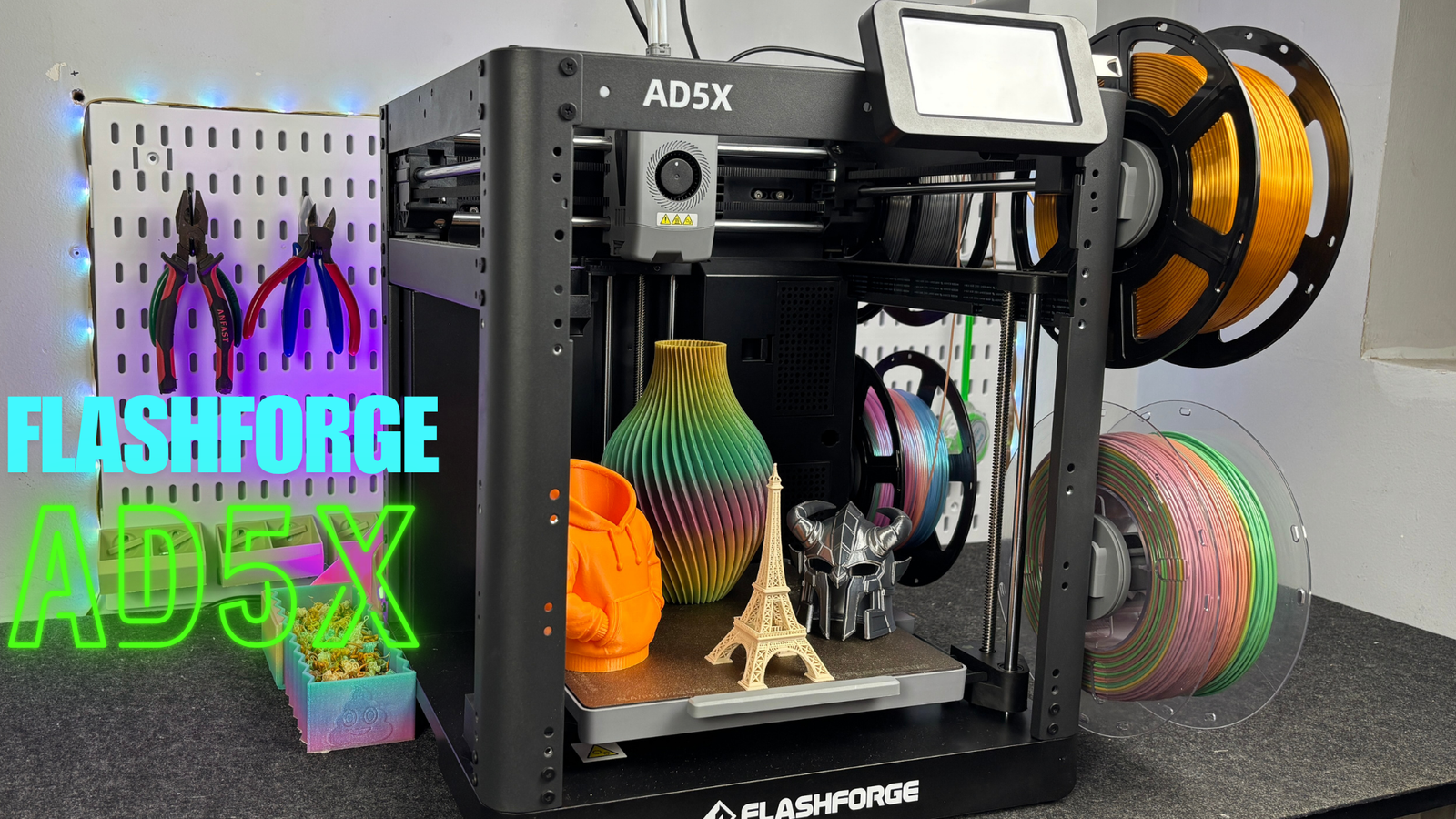
If you want to explore multicolor 3D printing without spending a fortune, the FlashForge AD5X is a printer worth considering. It combines a CoreXY motion system, automatic bed leveling, a direct-drive extruder, and FlashForge’s Intelligent Filament System (IFS), which supports up to four filament channels.
What makes the AD5X particularly interesting is its focus on practical features rather than premium extras. Instead of including a built-in camera and lighting as standard, it puts its emphasis on high-speed printing and accessible multicolor functionality.
I’ve been using the FlashForge AD5X and testing it with PLA, PETG, and TPU. In this review, I’ll cover its setup, design, IFS system, print performance, advantages, limitations, and the type of user who should consider buying it.
Is the FlashForge AD5X worth buying? Let’s take a closer look.
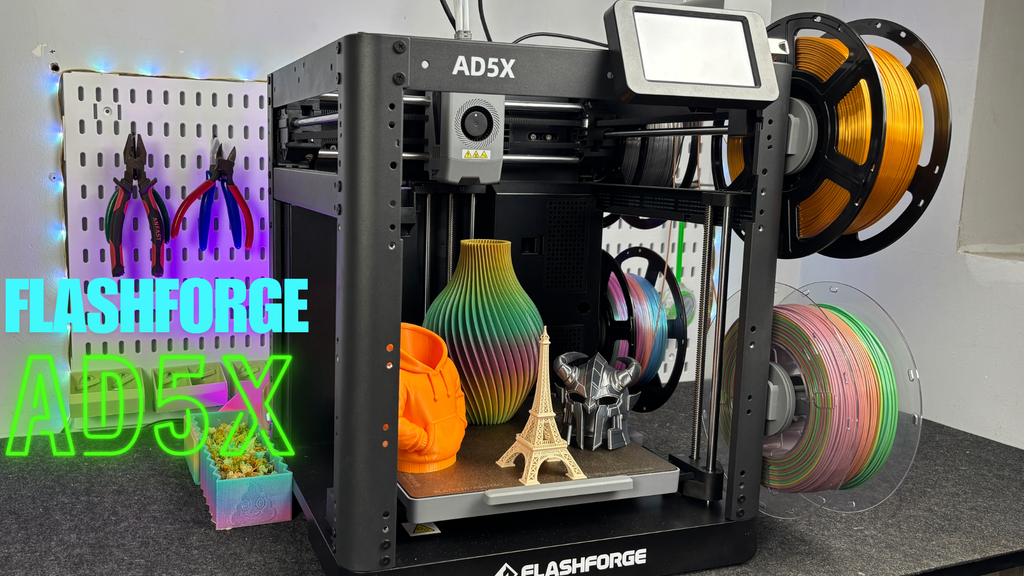
Here are the main specifications and features of the FlashForge AD5X.
| Specification | FlashForge AD5X |
|---|---|
| Printer type | FDM/FFF 3D printer |
| Motion system | CoreXY |
| Build volume | 220 × 220 × 220 mm |
| Maximum advertised print speed | Up to 600 mm/s |
| Maximum advertised acceleration | Up to 20,000 mm/s² |
| Maximum bed temperature | 110°C |
| Maximum hotend temperature | Verify the specification for your exact model and firmware |
| Extruder | Direct drive |
| Standard nozzle | 0.4 mm |
| Multicolor system | FlashForge IFS |
| Filament channels | Up to 4 |
| Automatic bed leveling | Yes |
| Touchscreen | 4.3-inch touchscreen |
| Connectivity | Wi-Fi, LAN, USB |
| Frame design | Open frame |
| Built-in camera | Not included in my review configuration |
| Built-in lighting | Not included in my review configuration |
Note: Maximum advertised speed and acceleration are not the same as the speed a printer can maintain while producing high-quality parts. Included accessories and optional upgrades may vary by package and market.
The FlashForge AD5X arrived securely packaged, with thick foam padding around the printer and additional internal supports to protect the frame during shipping. The accessories, tools, and spool holders were neatly arranged in custom-cut foam compartments.
One advantage of the AD5X is that most of the printer is already assembled. You don’t need to build the entire machine from scratch.
The main setup tasks include removing the protective foam, installing the IFS module, positioning the touchscreen, connecting the filament guide tubes, and checking the bed’s shipping screws before powering on the printer.
The touchscreen is attached to the front of the machine for shipping. To install it, remove the retaining screws, lift the screen, and slide it into its mounting position on the upper frame.
The process is straightforward, although I would have preferred the screen to be packed separately to make installation a little more convenient.
The IFS module mounts on a dedicated plate on top of the printer frame. Once it is positioned correctly, connect the filament guide tubes to their corresponding inlets.
The AD5X includes four spool holders on one side of the printer. Each spool feeds into the IFS module, which manages filament loading and switching.
The spool holders are spring-loaded, helping manage filament slack. However, they can retract slightly while you’re feeding filament into the system, which makes the initial loading process feel a little awkward.
After the first setup, loading and changing filament becomes much more convenient.
After completing the physical installation, power on the printer and follow the touchscreen instructions to complete the initial checks and calibration.
The AD5X supports automatic bed leveling, reducing the amount of manual adjustment required before printing. As with any 3D printer, it is still worth checking the first layer and confirming that the filament is loaded correctly before starting a long print.
Overall, setup is manageable even for users who are relatively new to 3D printing.
One of the main features of the FlashForge AD5X is its CoreXY motion system.
Unlike a traditional Cartesian printer, where the axes typically use more direct individual movement arrangements, CoreXY uses two motors working together to control movement along the X and Y axes.
By coordinating the motors, the printer can move the toolhead quickly while keeping the moving assembly relatively lightweight.
Higher-speed movement
CoreXY is well suited to high-speed printing because the motors can coordinate their movement to control the toolhead efficiently.
Reduced moving mass
The design can reduce the amount of mass that moves with the printhead compared with some traditional arrangements. This helps when accelerating and decelerating quickly.
Compact design
The mechanism provides a compact motion system, making it suitable for desktop printers that need to balance performance and footprint.
Stable motion
With a properly assembled and calibrated system, coordinated belt movement can support repeatable positioning and consistent printing.
The AD5X also uses three lead screws for its Z-axis, connected through a belt-driven arrangement.
However, CoreXY alone doesn’t guarantee perfect print quality. Belt tension, frame rigidity, vibration compensation, cooling, filament condition, and slicer settings all influence the final result.
FlashForge advertises speeds of up to 600 mm/s and acceleration of up to 20,000 mm/s². These figures are impressive, but real printing speed depends on the model, material, layer height, and quality settings.
The AD5X uses an open-frame design rather than a fully enclosed chamber.
This approach has several practical advantages. It provides easy access to the print bed, toolhead, and filament paths, making routine maintenance and troubleshooting more convenient.
The open structure also makes it easier to inspect the printer while it is operating.
The main limitation is temperature control around the printed part.
Materials such as ABS and ASA can be more sensitive to drafts and temperature changes. Nylon and polycarbonate can also require careful environmental control, depending on the specific filament.
An open-frame printer may therefore be less convenient for these materials than a suitable enclosed machine.
FlashForge offers an optional enclosure or upgrade accessories in some configurations. Before purchasing one, confirm that the enclosure is compatible with your particular AD5X package and provides the temperature management required by your chosen material.
An enclosure also does not automatically make every engineering filament safe or easy to print. Filament drying, ventilation, material-specific settings, and appropriate filtration may still be necessary.
My review configuration did not include a built-in camera or printer lighting.
FlashForge offers camera-related upgrade options for compatible configurations, allowing users to monitor prints or create time-lapse footage.
Personally, I don’t consider a camera essential for my regular printing workflow, so the base configuration was sufficient for my needs. However, users who frequently leave long prints unattended may find a camera useful.
The IFS system is arguably the most interesting feature of the FlashForge AD5X.
IFS stands for Intelligent Filament System. It manages automatic filament loading and unloading, allowing the printer to switch between up to four filament channels during a print.
This makes it possible to produce multicolor models without manually changing filament every time the model requires a different color.
The AD5X has four spool positions on the side of the printer. Filament passes from each spool through a guide tube into the IFS module and then toward the extruder.
When a print requires a different color, the system manages the filament change sequence, including retraction, cutting, and feeding the next filament.
Once the filaments are loaded correctly, the workflow is much more convenient than performing each color change manually.
To load filament:
The first loading attempt may feel slightly awkward because of the spring-loaded spool holders. After becoming familiar with the loading path, the process becomes easier.
One useful feature is that the system can load multiple filament channels sequentially. If a print pauses because a filament runs out, inserting replacement filament can also initiate the loading process.
Yes. With a single-nozzle system, switching colors often requires purging the previous filament from the nozzle before the next color can be printed cleanly.
This creates purge material and may increase print time compared with a single-color job.
The amount of waste depends on the model, the number of color transitions, the slicer settings, and the purge strategy. A model with many small color regions can require considerably more changes than one with large blocks of color.
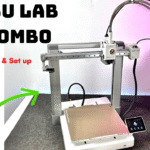
In my experience, the waste was not dramatically different from what I had seen with the Bambu Lab A1 Combo and AMS Lite. However, this was a practical observation rather than a controlled, identical-model comparison.
The key takeaway is that multicolor printing provides more creative possibilities, but it comes with additional material consumption and longer print times.
This is one of the more interesting capabilities associated with the AD5X.
FlashForge advertises support for 95A TPU through its multicolor system. During my own testing, printing TPU was one of the features I found particularly fascinating.
Flexible filament can be more challenging to feed than rigid filament, so the result depends on the specific TPU, filament path, speed, and settings. Don’t assume that every TPU formulation will behave identically.
For anyone interested in flexible multicolor parts, this capability makes the AD5X worth a closer look.
The FlashForge AD5X comes with a 4.3-inch touchscreen that provides access to the printer’s main functions.
From the interface, users can perform operations such as:
The menu layout is reasonably straightforward, and the printer doesn’t require users to navigate deeply nested menus for every basic operation.
However, the touchscreen is one of the areas I think FlashForge could improve.
The resistive screen can feel less responsive when operated with a finger. I found it easier to use a pen-like stylus to select functions accurately.
The interface also relies on small icons in some areas, which can make certain functions less obvious until you become familiar with the menu.
These are not deal-breakers, but they affect the overall user experience. A more responsive screen and clearer visual labels would make the machine feel more polished.
The AD5X uses a direct-drive extruder, placing the filament-driving mechanism close to the hotend.
This arrangement can be useful for flexible filaments such as TPU because the filament has a shorter path to travel before reaching the hotend.
The printer comes with a standard 0.4 mm nozzle, a common choice for balancing print detail and printing time.
Compatible nozzle options may include smaller or larger diameters, depending on the supported parts available for your configuration.
A smaller nozzle can help produce finer details, while a larger nozzle can deposit more material per pass and potentially reduce print time for suitable models.
The magnetic front cover makes the toolhead easier to access during maintenance. Another useful design feature is the quick-change nozzle arrangement, which simplifies replacement compared with systems that require more extensive disassembly.
Easy access matters because nozzles and filament paths occasionally need cleaning, particularly after a clog or a material change.
For users who regularly experiment with different filaments, straightforward maintenance is a welcome feature.
Always confirm the supported nozzle sizes and maximum hotend temperature in the official documentation for your exact AD5X version before purchasing replacement components.
Specifications are useful, but the most important question is how the printer performs on actual projects.
For my testing, I focused on PLA, PETG, and TPU. These materials cover a broad range of common hobby and workshop applications.
PLA is a practical starting point for most users because it is relatively easy to print and works well for many decorative models, prototypes, and functional parts.
The AD5X performed well during my PLA testing. Combined with automatic leveling and the CoreXY motion system, it offers a convenient workflow for regular printing.
For the best results, use appropriate temperatures, cooling, first-layer settings, and print speeds rather than relying exclusively on the maximum advertised speed.
PLA is a good fit for models such as:
PETG is useful when a project needs different mechanical or environmental properties from ordinary PLA.
The AD5X also performed well with PETG in my testing.
PETG can be more sensitive to stringing and requires suitable temperature and retraction settings. Dry filament and a well-tuned profile can make a meaningful difference to the final result.
For robotics and electronics projects, PETG can be a practical option for selected brackets, holders, enclosures, and parts that need more flexibility than a typical PLA print.
TPU is the material that made the AD5X particularly interesting to me.
Flexible filament opens up additional possibilities, including protective feet, flexible covers, bumpers, grips, and other parts that need some elasticity.
The AD5X performed well with TPU during my testing, and its multicolor capability adds another dimension to flexible printing.
That said, TPU varies considerably between formulations. Filament hardness, moisture, printing speed, and the manufacturer’s recommended settings all affect performance.
Although the printer’s temperature specifications may appear suitable for certain engineering filaments, my testing did not establish reliable results with ABS, ASA, nylon, or polycarbonate.
The open-frame design, the cool ambient conditions in my testing environment, and the lack of suitable carbon/HEPA filtration limited my ability to test those materials properly.
I therefore wouldn’t recommend choosing the AD5X solely because its advertised temperatures appear sufficient for engineering filaments.
If these materials are your main priority, consider whether a suitable enclosed printer and the required ventilation or filtration would be a better match.
FlashForge advertises a maximum print speed of up to 600 mm/s and acceleration of up to 20,000 mm/s².
These figures describe the printer’s advertised motion capabilities, not a guarantee that every model will print successfully at that speed.
Actual printing performance depends on several factors:
Small models with many corners may not benefit as much from high maximum speed as large models with longer straight toolhead movements.
For practical projects, I recommend starting with a suitable material profile and adjusting speed only after checking print quality.
The AD5X’s CoreXY design provides a strong foundation for high-speed printing, but good results still depend on tuning the complete printing process.
The AD5X supports Wi-Fi, LAN, and USB connectivity, providing several ways to transfer and manage print jobs depending on the supported workflow and software version.
It also includes a filament runout sensor, which can help prevent a print from failing silently when the filament supply is exhausted.
The printer’s automatic leveling and calibration features reduce the amount of manual work required before printing. These features are especially useful for beginners who want to spend more time designing models and less time adjusting the machine.
However, the base configuration is relatively stripped down compared with some premium printers. The lack of included camera and lighting may matter to users who want remote monitoring and a more complete out-of-the-box experience.
The AD5X is worth considering if you want a desktop 3D printer that combines regular single-color printing with accessible multicolor functionality.
If you want to experiment with multiple colors without manually changing filament, the IFS system provides a convenient starting point.
Automatic leveling and a mostly assembled design also help simplify the initial setup process.
For Arduino, robotics, and electronics projects, the AD5X can produce a range of brackets, enclosures, chassis components, holders, and prototypes.
Its support for PLA, PETG, and TPU in my testing makes it useful for both rigid and flexible parts.
The four-channel IFS system creates opportunities to experiment with color combinations and certain multicolor flexible prints.
It is especially interesting if you enjoy designing your own models and want more options than standard single-color printing.
You may want to compare alternatives if you need a fully enclosed printer for regular ABS, ASA, nylon, or polycarbonate printing; a built-in camera and lighting; or the most polished possible touchscreen experience.
You should also consider how frequently you will use multicolor printing. If almost every project is a simple single-color part, the extra complexity and purge waste may not provide enough value.
In my experience, the FlashForge AD5X offers a compelling combination of CoreXY motion, automatic leveling, direct-drive extrusion, and four-channel multicolor printing.
Its strongest selling point is the IFS system. It makes multicolor printing more accessible while retaining the ability to produce ordinary single-color parts.
I was also pleased with its performance using PLA, PETG, and TPU. For a maker who prints robotics parts, functional prototypes, and creative multicolor models, these capabilities make the AD5X a versatile machine.
However, it isn’t perfect. The touchscreen could be more responsive, and the open-frame design limits how confidently I would recommend it for temperature-sensitive engineering materials without additional environmental controls. The base model also omits camera and lighting features that some users may expect.
My verdict: If your main priorities are multicolor printing, common hobby materials, and a relatively straightforward setup, the FlashForge AD5X deserves a place on your shortlist. If you primarily print engineering materials that need an enclosed chamber, compare it with a suitable enclosed alternative before buying.
Finally, check the current price, included accessories, warranty, and availability of replacement parts in your region. The best purchase is the one that fits both your printing needs and your total budget.
The AD5X’s IFS system supports up to four filament channels, allowing it to switch between as many as four loaded filaments in a print. The final result depends on the model and slicer configuration.
The build volume is 220 × 220 × 220 mm, providing space for many desktop prototypes, decorative models, and functional parts.
Yes. I tested TPU on the AD5X and obtained good results. FlashForge also advertises support for 95A TPU through its multicolor system. Results may vary with filament formulation and print settings.
Its advertised temperature capabilities may be relevant to these materials, but the printer’s open-frame design makes them more challenging to print reliably. My testing did not establish results for ABS or ASA. Check the specific filament requirements and consider a suitable enclosed setup.
My review configuration did not include a camera. Compatible camera upgrades may be available, so check the contents of the package you plan to purchase.
Yes. The AD5X has an automatic leveling system designed to reduce manual bed adjustment and help achieve a consistent first layer.
It can be a good option for beginners who want to explore multicolor printing. The mostly assembled design and automatic leveling simplify setup, although new users should still learn basic filament handling, first-layer checks, and material-specific settings.
It is worth considering if you want four-channel multicolor printing, a CoreXY motion system, and good performance with common materials such as PLA, PETG, and TPU. Whether it is the best choice depends on the current price, included accessories, and whether you need an enclosed printer.
The FlashForge AD5X is an interesting option for makers who want to move beyond single-color printing without giving up the flexibility of a general-purpose desktop 3D printer.
Its IFS system is the main attraction, while the CoreXY design, automatic leveling, and direct-drive extruder provide a useful foundation for everyday printing.
It has some shortcomings, especially the touchscreen experience and open-frame design, but its strengths make it worth considering for hobby projects and multicolor experimentation.
If you’re comparing the AD5X with other printers, think about the materials you print most often, how much you value multicolor functionality, and whether you need features such as an enclosure or camera.
What would you print first with the FlashForge AD5X? Let me know in the comments!
If you’re building a 3D printing workshop, you can also read our guide to the essential tools you need for 3D printing.