Physical Address
304 North Cardinal St.
Dorchester Center, MA 02124
Physical Address
304 North Cardinal St.
Dorchester Center, MA 02124

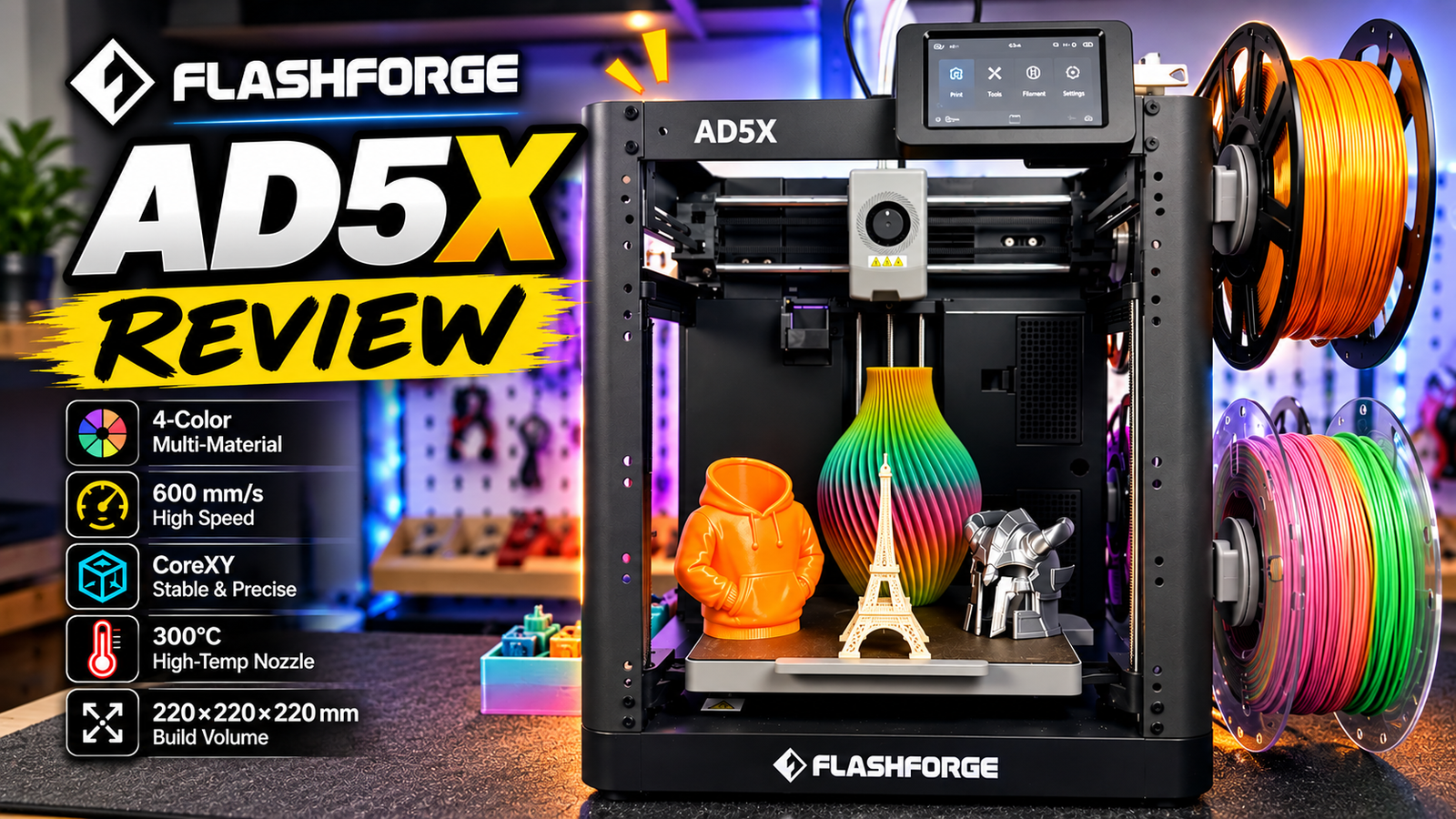
If you’re looking for a capable 3D printer without spending too much, the Elegoo Centauri Carbon and Flashforge AD5X are two machines worth considering.
I’ve spent quite a bit of time using both printers, and although they occupy a similar price range, they offer different advantages.
The Elegoo Centauri Carbon is a fully enclosed CoreXY 3D printer designed for high-speed printing and a wider range of materials. The Flashforge AD5X, on the other hand, focuses on making multi-color 3D printing more accessible with its built-in Intelligent Filament System (IFS), which supports up to four filament colors.
So, which one is the better choice?
In this comparison, we’ll look at their specifications, setup process, design, print quality, material compatibility, multi-color printing, and overall user experience. I’ll also share what I liked and disliked about each machine based on my experience using them.
By the end, you’ll have a clearer idea of which printer best fits your projects, budget, and printing needs.
Before diving into the details, let’s compare the main features of these two printers.
| Feature | Elegoo Centauri Carbon | Flashforge AD5X |
|---|---|---|
| Printer type | CoreXY FDM 3D printer | CoreXY FDM 3D printer |
| Build volume | 256 × 256 × 256 mm | 220 × 220 × 220 mm |
| Maximum nozzle temperature | 300°C | 300°C |
| Maximum bed temperature | 110°C | 110°C |
| Printer enclosure | Fully enclosed | Open-frame by default |
| Multi-color printing | Not included as standard | Yes, up to 4 colors |
| Filament system | Single-spool printing | Intelligent Filament System (IFS) |
| Typical use | Functional parts, engineering materials, general-purpose printing | Multi-color models, decorative prints, general-purpose printing |
| Best selling point | Enclosed design and material flexibility | Affordable access to multi-color printing |
Note: Specifications and included accessories may vary by product revision, regional package, or optional upgrades. Check the exact configuration before purchasing.
Both printers use a CoreXY motion system, which allows the printhead to move quickly while keeping the moving mass relatively low. They are capable of producing detailed prints at high speeds, although actual results depend on the model, filament, slicer settings, and calibration.
The biggest differences are the build volume, enclosure, and filament system.
The Centauri Carbon offers a larger build area and a fully enclosed structure. The AD5X gives you multi-color printing out of the box, which would otherwise require a separate multi-color solution on a single-color printer.
Let’s start with the setup process because this is one of the first things beginners experience when buying a new 3D printer.
Honestly, both machines are relatively easy to get running, even if you don’t have much experience with 3D printing.
Setting up the Centauri Carbon took me approximately 15 minutes, followed by another 30 minutes for the initial calibration process.
At first, 30 minutes of calibration might sound like a long time. However, once the process was complete, I didn’t have to recalibrate the machine during my subsequent use.
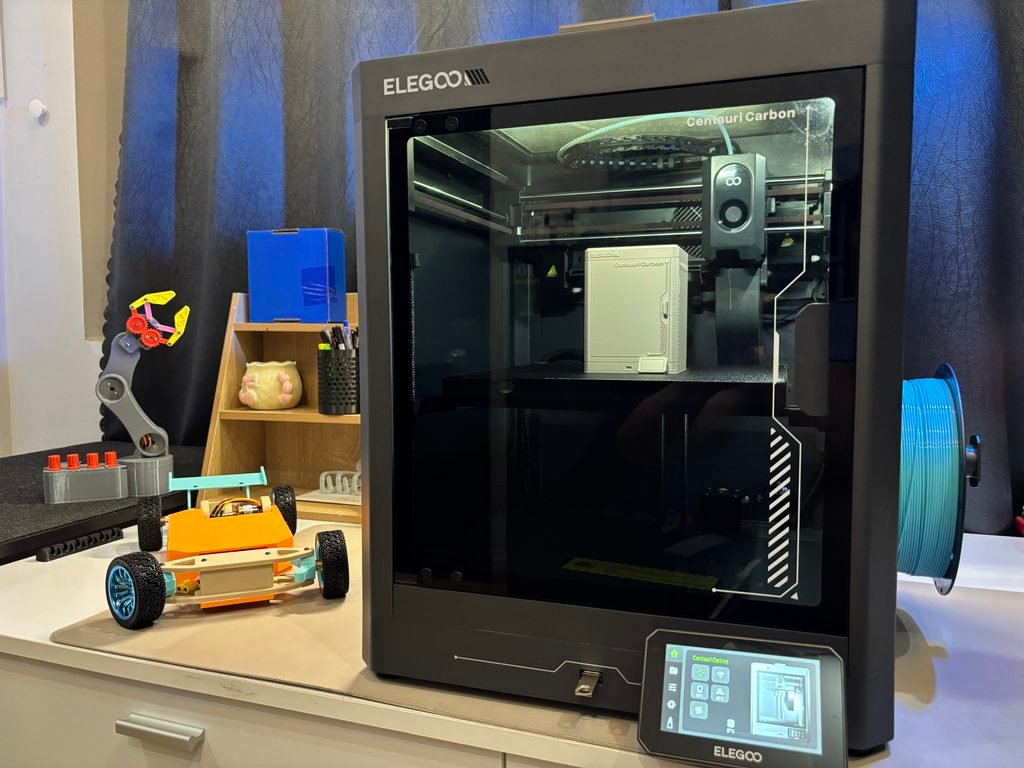
That was a positive experience because I could move on to preparing models and printing rather than repeatedly adjusting the machine.
The enclosed design also makes the printer feel more like a complete, ready-to-use system. Once the initial setup is finished, the workflow is straightforward: prepare your model, slice it, send the file to the printer, and start printing.
The Flashforge AD5X was also straightforward to set up, but it required a few additional steps because of its IFS system.
You need to install the IFS unit on the side of the printer, load the filament spools, connect the filament paths, and ensure everything is feeding correctly before starting the initial calibration and printing process.
None of these steps is particularly difficult, but there is more hardware to prepare than on a conventional single-filament printer.
Once everything is installed, however, the IFS system becomes a major advantage. You can prepare multiple filament colors and let the printer handle filament changes automatically during a multi-color print.
For a basic single-color print, I’d give the Centauri Carbon a slight advantage because its setup is relatively simple and doesn’t require configuring a multi-filament system.
However, if your goal is to start printing multi-color models without purchasing a separate system, the additional setup required by the AD5X is worthwhile.
Both printers are beginner-friendly, so the choice mainly depends on whether you prioritize a simple single-color workflow or built-in multi-color functionality.
The physical design of a 3D printer affects more than its appearance. It also influences material compatibility, maintenance, noise, airflow, and how easily you can access the machine.
One of the most noticeable features of the Centauri Carbon is its fully enclosed structure.
The printer has a build volume of 256 × 256 × 256 mm, giving it more room for larger models than the AD5X.
The enclosure helps reduce drafts and maintain a more stable printing environment, which can be useful when working with materials that are sensitive to temperature changes.
For everyday printing with PLA and PETG, the enclosure is convenient, and the printer feels like a self-contained machine. It is also an advantage when you want to experiment with engineering materials, although material compatibility depends on more than enclosure design alone.
There are a few things I would improve. During my use, I found the internal lighting relatively dim, which made it harder to see the print clearly in certain conditions. The touchscreen also didn’t always respond as smoothly as I would have liked.
These aren’t necessarily deal-breakers, but they are worth mentioning if you value a polished day-to-day experience.
Overall, the enclosed design is one of the strongest reasons to consider the Centauri Carbon.
The Flashforge AD5X uses an open-frame structure similar to the design found on the AD5MP family of printers.
This layout makes it easy to access the printhead, inspect the print, change filament, and perform routine maintenance. You can also see what is happening inside the machine without opening a door or removing a panel.
The IFS unit is mounted on the side, keeping the four filament spools organized in a relatively compact arrangement.
I like this approach because it makes multi-color printing accessible without requiring a large external filament box.
Flashforge also offers an optional enclosure solution for users who want to improve environmental control. If you plan to print materials such as ABS or ASA, check the compatibility of the enclosure and the printer’s temperature requirements before using it. An enclosure alone does not guarantee reliable results with every engineering filament.
Personally, I mainly use PLA for many of my projects, so the standard open-frame configuration has worked well for my needs.
The Centauri Carbon is the better fit if you want an enclosed printer and plan to explore materials that benefit from a more controlled printing environment.
The AD5X is more appealing if you prefer easy access to the printer and want multi-color printing without building a separate filament setup.
Neither design is universally better. It depends on what you intend to print.
Print quality is one of the most important factors to consider, but it can also be difficult to judge from specifications alone.
Both printers use CoreXY motion systems and are designed for high-speed printing. In practice, the final result depends on the filament, slicer profile, temperature, cooling, acceleration, and geometry of the model.
During my use, I tested the Centauri Carbon with PLA, PETG, and TPU. I also printed at around 200 mm/s with acceleration settings reaching 10,000 mm/s².
These settings demonstrate the machine’s ability to handle relatively fast printing, although not every model or filament should be printed at those speeds.
One thing I appreciate is the versatility of the printer. It can handle everyday parts, brackets, prototypes, and decorative models, while its enclosed design gives it an advantage when exploring materials that are more sensitive to drafts and temperature fluctuations.
For functional parts, this flexibility is useful. You can move from a simple PLA prototype to a more demanding material without immediately needing to purchase a different printer.
That said, actual performance with materials such as ABS, ASA, or nylon should be evaluated according to the material manufacturer’s requirements and the printer’s supported operating conditions.
The AD5X is also designed for fast printing and performs well as a general-purpose FDM printer.
For single-color models, the printing workflow is similar to that of other modern CoreXY machines: prepare the model, select the appropriate profile, and start printing.
The real attraction appears when you use the multi-color system. You can print colorful figurines, signs, educational models, and decorative parts without manually changing the filament for every color.
However, multi-color printing adds complexity. The printer must switch filaments, retract material, and purge residual filament before continuing with the next color. This creates extra printing time and waste.
If you’re printing a simple bracket or functional component in one color, the IFS system may not offer much benefit. For multi-color models, though, it can make the AD5X much more versatile.
I wouldn’t declare one printer the universal winner based on speed or specifications alone.
For a fair comparison, print the same model on both machines using equivalent filament, similar layer heights, and appropriately tuned slicer profiles. Compare dimensional accuracy, surface finish, overhangs, bridging, and repeatability.
The Centauri Carbon’s advantage is its enclosed design and material flexibility. The AD5X’s advantage is its ability to produce multi-color prints with relatively little manual intervention.
For many users, the practical difference will be less about basic print quality and more about the type of work they want the printer to perform.
The Intelligent Filament System is the main reason to consider the Flashforge AD5X.
Instead of printing from a single filament spool, the system supports up to four filament channels. This allows the printer to switch between different colors automatically during a print.
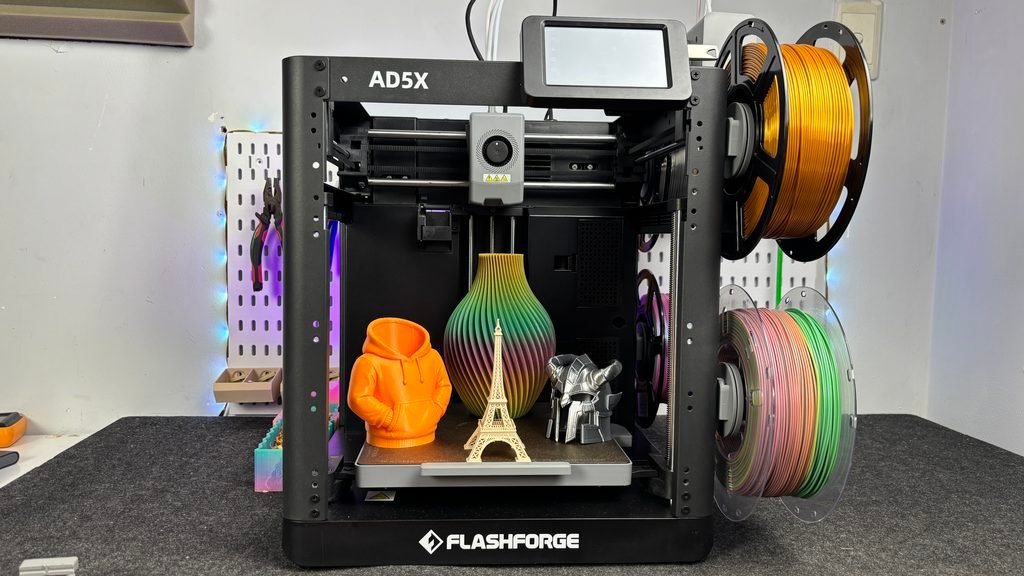
The system manages filament loading and unloading through its feeder mechanism and filament paths. During a multi-color print, the printer coordinates filament changes with the printhead’s movement and extrusion process.
The overall process involves several steps:
The exact sequence depends on the printer’s firmware and slicing workflow, but the goal is the same: automate filament changes so you don’t have to manage them manually.
One of the first things I appreciated was how convenient it was to load several filament colors and let the machine manage the switching process.
The side-mounted arrangement also keeps the system relatively compact. You don’t need to design your own multi-filament feeder or assemble a separate system from individual components.
For someone who wants to experiment with multi-color 3D printing, this is a significant advantage.
The IFS system also makes the AD5X more interesting for educational projects, customized gifts, decorative models, and products where color is an important part of the design.
This is one of the trade-offs of multi-color printing.
Because the AD5X uses a single nozzle, changing colors requires the printer to remove residual filament from the previous color. This usually means purging material into a waste chute or purge area.
In my experience, the amount of waste depends heavily on the model, the number of color changes, and the slicer settings. A model with frequent color changes across many layers can use considerably more filament than a simple two-color model with only a few transitions.
I didn’t notice a dramatic difference in waste between the AD5X’s IFS and the Bambu Lab A1 Combo’s AMS Lite during my use. Both systems face the same basic limitation of single-nozzle multi-color printing.
For this reason, I wouldn’t choose one system solely based on the assumption that it always wastes less filament. It’s better to compare actual sliced models and their estimated purge quantities.
I think the IFS is one of the strongest reasons to buy the AD5X.
If you want a relatively affordable printer that can produce multi-color models without purchasing a separate multi-color upgrade, the AD5X is worth considering.
However, the system doesn’t make every print faster or cheaper. For ordinary single-color functional parts, a simpler printer may be all you need.
The value of the IFS depends on how often you’ll actually use multi-color printing.
The Centauri Carbon takes a different approach. Rather than focusing on multi-color printing, it emphasizes an enclosed design, a relatively large build volume, and flexibility across different filament types.
With a build volume of 256 × 256 × 256 mm, the Centauri Carbon offers more space than the AD5X’s 220 × 220 × 220 mm build volume.
That difference can be useful when printing larger enclosures, robotics components, brackets, or multiple smaller parts in a single batch.
For makers who design their own projects, extra build space can make it easier to avoid splitting a model into multiple pieces.
I tested PLA, PETG, and TPU on the Centauri Carbon. These materials cover many common applications, from decorative models to functional components and flexible parts.
The printer’s enclosed design also makes it an interesting option for users who want to explore more demanding materials.
However, a 300°C nozzle and an enclosure should not be interpreted as a guarantee that every engineering filament will print successfully. Materials such as nylon, polycarbonate, ABS, and ASA may have specific requirements for bed temperature, moisture control, chamber temperature, ventilation, and nozzle construction.
Always check the manufacturer’s material compatibility guidance before choosing a filament.
After more than 100 hours of printing, I found that the Centauri Carbon was useful for a wide range of projects.
The initial calibration process took around 30 minutes after setup, but I didn’t need to repeat the calibration during my subsequent use.
I also appreciated having the printer enclosed when printing everyday parts. It gives the machine a more contained design and helps reduce exposure to drafts.
There are still some areas for improvement. The internal lighting could be brighter, and the touchscreen responsiveness wasn’t always ideal.
Even so, these issues did not outweigh the benefits of the overall design for my use.
I’d recommend considering the Centauri Carbon if you mostly print single-color models, want an enclosed CoreXY machine, need a larger build volume, or plan to experiment with different materials.
If multi-color printing is a major priority, however, the standard Centauri Carbon package doesn’t offer the same ready-to-use four-color workflow as the AD5X.
Hardware is only part of the equation. Slicer software, printer connectivity, filament management, and troubleshooting all affect the experience of using a 3D printer.
The Centauri Carbon provides a straightforward workflow for preparing and printing models. For users who mainly print single-color parts, the process is relatively simple because there is no multi-filament system to configure.
The main consideration is how well the slicer profile matches your filament and the model you want to print. Even with a capable printer, a poorly tuned profile can lead to stringing, weak layer adhesion, rough surfaces, or dimensional inaccuracies.
The AD5X has an additional software consideration: multi-color slicing.
You need to assign colors to different regions of a model or prepare a design that supports multiple filaments. The slicer then generates the filament-change instructions needed for the IFS system.
This adds flexibility, but it also creates a few extra things to learn. Color assignments, purge settings, filament loading, and material selection can affect the final result.
In general, multi-color printing is more involved than printing a single-color model, regardless of the printer brand.
For basic single-color printing, both machines offer a relatively accessible workflow.
For multi-color printing, the AD5X provides more capability out of the box, although the experience depends on software support, firmware, and the model being printed.
I’d recommend checking the latest slicer software and firmware for both printers before buying, especially if you plan to use advanced features or a particular operating system.
Pros
Cons
Pros
Cons
Now that we’ve looked at both machines, let’s make the decision easier.
You mainly print single-color parts and want a fully enclosed printer.
It’s also worth considering if you print robotics components, functional brackets, prototypes, or larger models that benefit from the extra build volume.
The Centauri Carbon is the more natural choice if you value material flexibility and don’t need multi-color printing as a core feature.
You want to experiment with multi-color printing without buying a separate filament system.
The AD5X is especially appealing if you print figurines, educational models, decorative parts, personalized gifts, or products where different colors are important.
If you’re a beginner who wants to explore multi-color printing from the start, the integrated IFS system gives you an accessible way to get into it.
For beginners, I wouldn’t make the decision based on specifications alone.
Think about what you want to print over the next six to twelve months.
If you’re interested in engineering projects, robotics, and functional components, the Centauri Carbon’s enclosure and larger build volume may be more useful.
If you enjoy colorful models and want to create visually appealing prints, the AD5X may offer more value.
Also compare the complete package prices, including filament, spare nozzles, maintenance supplies, and any optional enclosure or accessories. Prices vary by region and promotion, so the cheapest printer upfront isn’t always the cheapest option in the long run.
After using both printers, I think the Elegoo Centauri Carbon and Flashforge AD5X are aimed at different types of users, even though they can compete in a similar budget range.
The Elegoo Centauri Carbon is a strong option for people who want an enclosed CoreXY printer with a larger build volume and flexibility for different kinds of projects.
The Flashforge AD5X stands out because of its IFS system. Having four filament channels available from the start makes multi-color printing much more accessible, especially for people who don’t want to build or purchase a separate filament solution.
Personally, I would choose based on the type of printing I expected to do most often rather than trying to declare one machine the winner in every category.
For functional parts, prototypes, and material experimentation, I’d lean toward the Centauri Carbon.
For multi-color models and projects where appearance matters, I’d lean toward the AD5X.
Both machines have their strengths, and the best choice is the one that matches your actual workflow.
If you’ve used either of these printers, let me know what your experience has been like in the comments. And if you’re still deciding, tell me what kind of models you plan to print. I’d be happy to help you figure out which one makes more sense for your needs.
Thanks for reading, and I’ll see you in the next project!
Beyond choosing the right 3D printer, having the right accessories can also make your printing experience easier. Check out our guide to the essential tools you need for 3D printing to learn which tools are worth keeping in your workshop.
Neither is universally better. The Centauri Carbon has a fully enclosed design and a larger build volume, while the AD5X includes a four-color IFS system. The better choice depends on whether you prioritize material flexibility or multi-color printing.
Yes. The AD5X’s IFS system supports up to four filament colors in a print. Because it uses a single nozzle, it needs to change filaments and purge material between colors.
Yes. Its setup and calibration process are accessible to beginners, and it can handle common filaments such as PLA and PETG. New users should still learn basic slicer settings and material-specific printing requirements.
The standard AD5X uses an open-frame design. Flashforge offers an optional enclosure solution, but buyers should verify compatibility and the requirements of the materials they intend to print.
The Centauri Carbon is an appealing option for robotics projects that require larger or functional parts and may benefit from an enclosed printer. The AD5X is useful when multi-color components, labels, or decorative features are important. Both can print many common robotics parts using suitable filament and settings.